

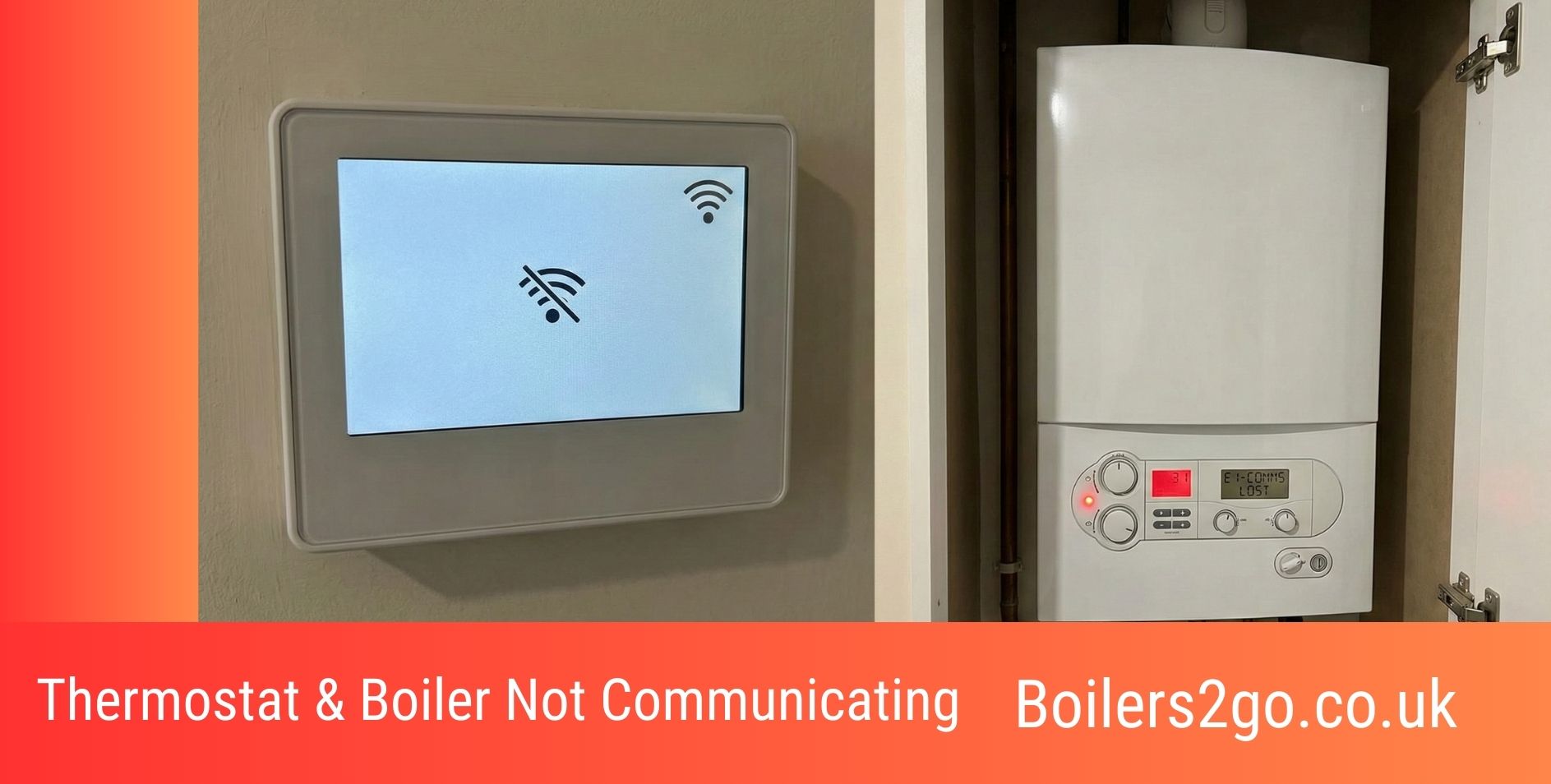
If you turn the thermostat up and the boiler does not fire, the heating system has lost its communication link somewhere between the two devices. Before assuming a major fault, the cause is usually straightforward: a dead battery, a settings problem, a wireless pairing issue, or a simple wiring fault. Most of these can be resolved in minutes without any tools or engineer call-out.
This guide covers every common reason a thermostat and boiler stop communicating in UK homes, what to check first, what you can safely fix yourself, and when to call a professional. If the timer is also playing up, check it first, as timer faults and thermostat faults often produce identical symptoms; our guide to a boiler timer not working covers the fixes.
Get a boiler cover, repair and annual service plan online here >
Thermostat and Boiler Not Communicating: Video Guide
Check the Boiler First
Before assuming the thermostat is the problem, check the boiler itself. Look at the display panel for fault codes or indicator lights. If the boiler is showing a fault code (such as low pressure, an ignition error, or a sensor warning), the boiler has already locked itself out and the thermostat is not to blame.
If the boiler is showing an ignition fault, deal with that first using our boiler not igniting guide, as it confirms which side of the communication chain has actually failed.
If the boiler display is blank entirely, check your consumer unit for a tripped breaker and read our guide on no power to a boiler before continuing.
If the boiler has power and no fault code, the problem lies in the communication between the two devices. Work through the causes below in order.
How Thermostats and Boilers Communicate
Understanding the connection type helps diagnose the fault faster. There are three types of thermostat-to-boiler communication in UK homes:
- Wired (standard): the thermostat connects directly to the boiler via low-voltage cable. When the room falls below the set temperature, the thermostat closes a circuit and the boiler fires.
- Wireless (RF signal): the thermostat sends a radio frequency signal to a receiver wired near the boiler. The receiver triggers the boiler. Communication failures here are usually battery, pairing, or signal range issues.
- Smart/connected (Wi-Fi or Zigbee): systems like Hive, Nest, Tado, and Honeywell use a hub connected to your broadband. The thermostat talks to the hub, which talks to the receiver at the boiler. A failure at any point in this chain stops communication.
More advanced systems also use OpenTherm, a digital protocol that allows the boiler to modulate its output based on actual demand rather than simple on/off switching. Note that Hive does not support OpenTherm. If your boiler supports it and you want that efficiency benefit, Nest, Tado, or Honeywell are better choices.
Cause 1: Dead or Weak Batteries
Flat batteries are the most common cause of a wireless thermostat stopping communication with the boiler. Most wireless thermostats run on AA or AAA alkaline batteries and will show a low battery warning in the app or on the display up to a month before they die. The warning is easy to dismiss and forget.
Replace the batteries with fresh alkaline cells. Do not use rechargeable batteries in Hive thermostats or similar wireless systems; they do not provide sufficient voltage to reliably maintain communication. On most models, fresh batteries will restore the connection automatically within a minute. If not, attempt a re-pair as described under wireless interference below.
Thermostat Battery Maintenance
Check and replace batteries every 6 to 12 months as a routine task. A battery alert appearing in October just before the heating season kicks in is a common trigger for what looks like a boiler fault.
Cause 2: Incorrect Thermostat Settings
Settings errors produce exactly the same symptoms as a hardware fault but cost nothing to fix. The most common examples are: the thermostat is in holiday or away mode, the schedule is set for different times than expected, the setpoint temperature is below the current room temperature so the boiler never receives a heat demand, or geofencing has detected the house as empty and suppressed the heating.
How to Fix Incorrect Thermostat Settings
- Set the thermostat temperature at least 3 to 5 degrees above the current room temperature. If the boiler fires, the settings were the problem.
- Check the schedule in the app or on the programmer. Confirm the heating is scheduled to be on at the current time.
- Check whether holiday, away, or frost-protection mode is active and disable it if so.
- For Hive, check that geofencing is not overriding the schedule. For Tado, confirm the “away” mode has not been triggered.
Cause 3: Poor Thermostat Placement
A thermostat placed incorrectly reads inaccurate temperatures and sends incorrect signals. Common placement problems include: near a radiator (the thermostat thinks the room is warm when it is not), near a draughty window or external door (the thermostat overcalls for heat), in a room that is not representative of the rest of the house, or in direct sunlight on a south-facing wall.
How to Fix Poor Thermostat Placement
- Relocate to an internal wall in a central room (typically the hallway or living room) at approximately chest height (1.5 metres). Our guide on where a central heating thermostat should be placed covers this in more detail.
- Keep at least 1.5 metres from any radiator, heat source, or draught.
- Wireless thermostats can be moved freely without any electrical work. Wired thermostats need a qualified electrician to extend or reroute the cable safely.
Cause 4: Wireless Signal Problems
Wireless thermostats communicate via radio frequency signals (typically 433 or 868 MHz). Signal can be disrupted by thick stone or concrete walls, distance, metal structures between the thermostat and receiver, or interference from other household devices on a similar frequency (Wi-Fi routers, baby monitors, cordless phones).
How to Fix Wireless Thermostat Signal Problems
- Move the thermostat and receiver closer together. Most wireless systems have an effective range of around 30 metres in open space, but this drops significantly through walls and floors.
- Re-pair the thermostat with the receiver according to the manufacturer’s guide. For Hive, press and hold the central heating button on the receiver until the status light shows double amber, then hold the back arrow and menu buttons on the thermostat simultaneously until the display reads “Welcome, searching.”
- For smart systems (Hive, Nest, Tado), restart the hub or bridge by unplugging from the mains for 30 seconds. Wait 5 minutes for it to re-establish connections before testing.
- Check that the hub has not been moved into a cupboard, placed directly next to the router, or knocked behind furniture. Hub placement affects signal quality significantly.
Cause 5: Wiring Problems (Wired Thermostats)
Wired thermostats connect to the boiler via low-voltage cable (typically 2-core for simple on/off or 3-core for smart systems with neutral connections). Loose connections, corroded terminals, a damaged cable, or incorrect wiring during a previous installation can all break the communication circuit.
Wiring faults are not a DIY repair. A qualified electrician should inspect and repair any wiring between the thermostat and boiler. In the meantime, switch the boiler off at the fused spur before doing anything near the thermostat terminals.
Signs of a Thermostat Wiring Fault
- The thermostat has power and displays correctly but the boiler never responds to any thermostat input
- The boiler fires constantly regardless of the thermostat setting (short circuit in the wiring)
- The fault appeared immediately after any recent building or decorating work near the wiring route
Cause 6: Faulty Thermostat
After several years of use, thermostat components can fail. The temperature sensor can drift, the internal relay can fail, or the circuit board can develop a fault. On smart thermostats, firmware bugs occasionally cause communication failures that appear similar to hardware faults. If you have a Vaillant boiler and the original control has failed, our guide to Vaillant thermostats and boiler controls covers the compatible eBUS replacements.
How to Identify and Fix a Faulty Thermostat
- Check for a firmware update in the manufacturer’s app. Outdated firmware on Hive, Nest, or Tado is a common cause of communication glitches that feels like a hardware fault.
- Perform a factory reset on the thermostat. This clears corrupted settings and is often the fix for smart thermostats that have been updated and then lost connection to the boiler.
- Test with a spare or borrowed thermostat if possible. If the boiler responds normally with a different thermostat, the original unit has failed.
- Budget replacements start from around £20 for a basic wired room thermostat. Smart thermostats from Hive, Nest, or Tado range from £100 to £200 including installation.
Cause 7: Faulty Boiler Receiver or PCB
The receiver is the component wired near the boiler that picks up signals from a wireless or smart thermostat. If the receiver itself fails, no thermostat signal will reach the boiler regardless of how the thermostat is configured. A boiler PCB fault can produce the same symptom: the boiler simply does not respond to external signals.
How to Fix a Faulty Boiler Receiver or PCB
- Reset the boiler first by holding the reset button for 5 to 10 seconds per the model’s instructions. This clears temporary PCB errors.
- Check whether the receiver’s indicator lights are behaving normally. On Hive receivers, the status light should be solid green when connected. A solid red or no light indicates a receiver problem.
- If the receiver clicks but the boiler does not respond, the fault is inside the boiler (PCB relay) rather than the receiver itself. A Gas Safe engineer is needed to diagnose this.
- PCB replacement costs typically £200 to £400 including labour depending on the boiler brand and model.
When to Call a Professional About Thermostat Faults
The following situations all require a qualified professional:
- Any wiring inspection or repair between the thermostat and boiler
- Boiler PCB or internal receiver replacement
- Persistent communication failure after batteries, settings, firmware, and pairing have all been checked
- Any smell of gas. Leave the property immediately and call the National Gas Emergency Service on 0800 111 999.
A diagnostic visit from a Gas Safe engineer or heating controls specialist typically costs £80 to £120 depending on location. Verify Gas Safe credentials at the Gas Safe Register before booking.
When Should You Get a New Boiler Quote?
If persistent communication failures are happening alongside recurring boiler fault codes on a system over 12 to 15 years old, the boiler itself may be the root cause rather than the thermostat or wiring. Ageing PCBs and control systems become less reliable at responding to external signals as components wear.
A modern A-rated boiler integrates cleanly with current smart thermostats (including OpenTherm-compatible models) and typically cuts annual heating bills compared to older, less efficient units. Boilers2Go provides free boiler installation quotes with installation often available the next day.
Thermostat and Boiler Not Communicating: FAQs
How Can Smart Thermostats Prevent Communication Breakdowns?
Smart thermostats from Hive, Nest, and Tado include app-based diagnostics that flag connectivity issues before they cause a full heating failure. Remote status monitoring lets you see whether the boiler has responded to a heat demand, identify signal strength, and receive alerts if the hub loses connection. For landlords, this remote visibility removes the need for a site visit to confirm the heating is working. Our guide to the best smart thermostats for boilers compares the main options.
Does Home Insulation Affect Thermostat-Boiler Communication?
Not directly in terms of signal quality. However, better insulation keeps room temperatures more stable, which means the thermostat calls for heat less frequently and the communication link is under less cyclic demand. Poorly insulated homes where the boiler is firing almost continuously see more wear on thermostat relay components and wired connections over time.
Are There Government Grants for Upgrading a Thermostat-Boiler Setup?
Not usually for a thermostat upgrade on its own. The Boiler Upgrade Scheme (BUS), open until at least March 2028, provides £7,500 towards a heat pump installation for eligible properties, but it does not cover gas boilers or standalone thermostat upgrades. Check eligibility for any current schemes via the Energy Saving Trust before requesting quotes.
Can Cold or Damp Weather Affect Thermostat-Boiler Communication?
Cold weather does not affect wired communication. For wireless systems, extreme condensation inside an unheated property can occasionally affect the signal quality of a receiver near the boiler, particularly in older systems. Condensation on PCB components inside the boiler itself is a more direct cold-weather issue: it can cause the PCB to behave erratically and not respond to thermostat signals until the board dries out.
Can Zone Valves Improve Thermostat-Boiler Communication?
Yes. Zone valves with individual thermostats allow each zone to communicate independently with the boiler, reducing the complexity of single-thermostat setups in larger properties. Each zone valve and thermostat pair manages its own circuit, so a communication fault in one zone does not affect the others. This setup is particularly useful for households with very different heating needs across floors or wings of the property.
What Should I Check If the Thermostat Is On but the Boiler Isn’t Responding?
Work through this sequence: check the boiler display for fault codes, check system pressure, confirm the thermostat temperature is set above the current room temperature, check the schedule is active, restart the hub or receiver (for smart systems), then check the receiver’s indicator light. If all of these are normal and the boiler still does not respond, the fault is most likely in the receiver, the wiring, or the boiler PCB, and a professional check is the next step.

I’m Penny North, a home energy heating expert. My mission is to demystify new boilers and complex heating systems to help you achieve a warm, cosy home with lower energy bills and a smaller environmental footprint.